
Non-Profit Website Design Ideas That Drive Donations
Your non-profit's website is doing more work than you think, or it's quietly costing you donors every single day. Most people considering a first gift to an organization they haven't heard of will check the website first. If what they find feels outdated, confusing, or thin on substance, they move on. The gift never happens.
The good news: strong non-profit website design ideas don't require a big agency budget or a full-time designer. They require clarity, honesty, and a real focus on the donor's experience.
This guide covers what actually moves the needle, from your hero section to your donation form, so you can build or improve a site that earns trust and converts visitors into supporters.

Why Your Non-Profit Website Is Your #1 Fundraising Tool
Before a first-time donor writes a check or clicks "give," they research. M+R Benchmarks and Nonprofit Tech for Good consistently find that the large majority of donors visit an organization's website before making their first gift. Your website is the single most important trust checkpoint in that journey.
That matters because most non-profits underinvest here. They pour energy into events, social media, and direct mail, then send people to a website that hasn't been touched in three years. A weak site doesn't just fail to convert; it actively undermines the credibility you've built everywhere else.
Great non-profit web design isn't about flashy visuals. It's about telling your story clearly, making the path to give frictionless, and signaling to a stranger that your organization is real, accountable, and worthy of their trust. You can do all three on a tight budget.
Non-Profit Website Design Ideas That Actually Drive Donations
Lead With a Mission Statement That Hits in One Line
Your homepage hero section, the first thing a visitor sees before scrolling, needs to answer one question immediately: what does this organization do and why does it matter?
Charity: Water is one of the most cited non-profit website examples for good reason. Their homepage leads with a single, emotionally resonant mission line paired with full-screen human photography. No clutter. No paragraph of history. Just a clear statement and a call to action. That combination of clarity and authenticity consistently outperforms busy, committee-approved layouts.
Write your mission statement as if you're explaining your work to a stranger at a coffee shop. One sentence. Plain language. Lead with the people you serve, not your organization's name.
Use Real Photos and Stories, Not Generic Stock Images
Stock photos of smiling volunteers in matching t-shirts don't build trust. Donors know the difference between a posed stock image and a real moment from your work.
Real photography, even taken on a smartphone, is almost always more effective. A photo of an actual beneficiary (with permission), a real volunteer, or a behind-the-scenes moment from your programs signals that the work is genuinely happening. It makes visitors feel connected before they've read a single word of copy.
This is one of the highest-return non-profit website design ideas because it costs almost nothing to implement and immediately changes how the site feels.
Make the Donate Button Impossible to Miss
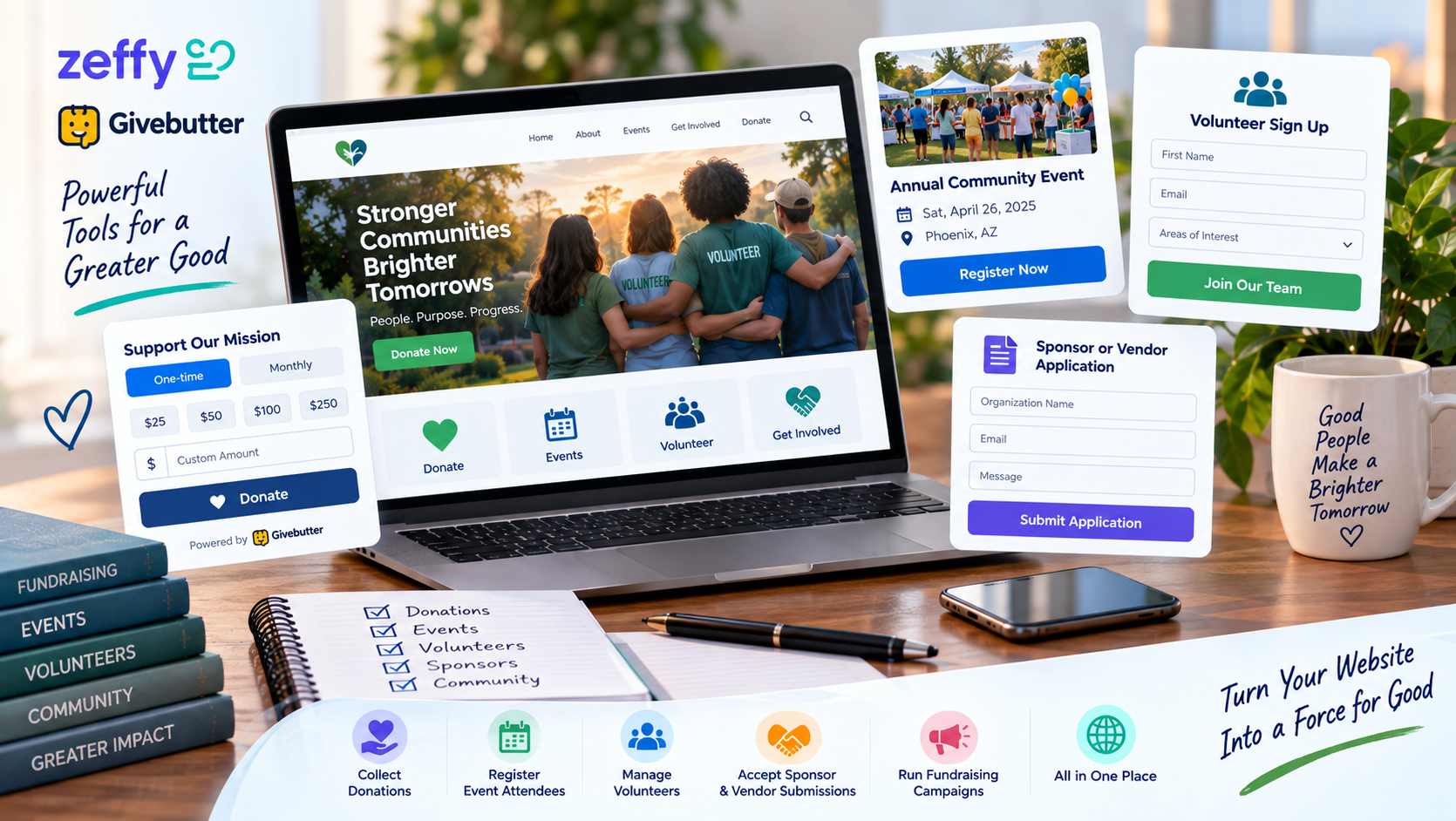
Place a donate button in your top navigation bar and in the hero section above the fold. Use a contrasting color, it should stand out from the rest of your design, not blend into it. The button label matters too: "Donate Now" and "Give Today" consistently outperform generic labels like "Support Us."
Every page on your site should have a clear path back to giving. Don't make donors hunt for it.
Storytelling and Trust-Building: The Heart of Charity Website Design
Showcase Impact With Numbers and Human Stories
Donors want to know their money does something real. Abstract impact claims ("we help communities") don't land. Specific, concrete results do.
The Movember Foundation uses a bold impact counter on its homepage, funds raised, men's health campaigns supported, to turn abstract giving into something visible. Any non-profit can replicate this with a simple stats block: meals served, families housed, students tutored, trees planted. Pick two or three numbers that genuinely represent your scale of impact and display them prominently.
Numbers alone are cold, though. Pair them with a short human story, a sentence or two about one person whose life changed because of your work. This combination of data and narrative is the core of effective charity website design tips: it satisfies the analytical donor who wants proof and the emotional donor who needs connection.
Add Social Proof: Testimonials, Partners, and Press
First-time visitors are asking themselves: "Can I trust this organization?" Social proof answers that question without you having to say it directly.
Add a testimonials section with quotes from volunteers, beneficiaries, or community partners. Display partner organization logos. If you've received press coverage or earned a Charity Navigator or GuideStar rating, feature it. These signals tell a visitor that other people and institutions have already vetted your work, which makes their decision much easier.
A content marketing strategy for small organizations can also build credibility over time through blog posts, impact reports, and stories that keep donors engaged between campaigns.
Non-Profit Web Design Best Practices for a Professional Look
Keep Navigation Simple and Mobile-First
Mobile traffic accounts for the majority of web visits across virtually every sector, including non-profits. A site that isn't optimized for phones is turning away potential donors before they ever read your mission, silently, invisibly, constantly.
Keep your navigation to five items or fewer. Common choices: Home, About, Our Work (or Programs), Get Involved, and Donate. Every page should load quickly, slow load times on mobile are one of the most common reasons visitors abandon a site. Compress your images, choose a lightweight theme, and test your site on your own phone regularly.
These are foundational non-profit web design best practices, and they cost nothing to get right if you build them in from the start.
Build a Dedicated 'About Us' Page That Earns Trust
Your About page does more trust-building work than almost any other page on the site. A first-time donor who's seriously considering giving will almost certainly read it.
Include your founding story (brief, human, honest), photos and short bios of your leadership team, your mission and values in plain language, and financial transparency information like a link to your Form 990 or Charity Navigator profile. Faces and names matter enormously. An organization run by real, named people feels accountable in a way that a faceless "team" page never does.
Fundraising Website Design: Optimizing Your Donation Experience
Friction kills conversions. Every extra step, every confusing form field, every moment a donor has to think "wait, where do I click?" is a chance for them to leave without giving.
Good fundraising website design makes the donation experience as simple as possible:
- Pre-set giving amounts. Offer three or four suggested gift levels ($25, $50, $100, $250) rather than a blank field. Suggested amounts anchor donor expectations and typically increase average gift size.
- Minimal form fields. Ask only for what you need to process the gift: name, email, and payment info. Skip optional fields unless they're truly necessary.
- Visible recurring gift option. A monthly giving option should be present and easy to find, not buried. Monthly donors are far more valuable over time than one-time givers, and many will choose it if it's simply offered.
- A real thank-you page. After submitting a gift, donors should land on a confirmation page that thanks them by name, confirms the impact of their gift, and shows them one next step (follow us, share this, or read a story). A transactional receipt email is not a thank-you. These are different things.
At Easy-Click Web Design, the donation flow is one of the first things we look at when working with non-profits. Small friction points, a donate button buried below the fold, a form that asks for too much, are consistently where organizations lose gifts they should have converted.
How to Design a Non-Profit Website Without Blowing Your Budget
The most common mistake non-profits make is going one of two directions: hiring a large agency at a price point that isn't sustainable, or defaulting to a bloated DIY builder that takes months to set up and still looks generic.
There's a middle path. Working with a specialist who understands small organizations means you're not paying for a full agency team, but you're also not stuck figuring out a complex platform alone. The result is a focused, professional site built around your actual goals, not a template with your logo dropped in.
Here's what to prioritize if you're working with a tight budget:
- Hero section, Mission clarity and a visible donate CTA above the fold. This is the highest-impact fix.
- Mobile optimization, Non-negotiable in 2026.
- Donation page, Simple, fast, and frictionless.
- About page, Real faces, real story, transparency signals.
Everything else, a full blog, event calendar, volunteer portal, can come later. Get the core right first.
At Easy-Click, we've helped non-profits and small organizations launch professional sites without agency-level costs. We work virtually, so location is never a barrier, whether you're in Phoenix or anywhere else in the country. Our process starts with understanding your goals and your donors, not with selling you features you don't need.
If your current site is costing you trust and you're not sure where to start, explore affordable web design plans built for non-profits and small organizations, or book a free demo to see what's possible. The conversation is low-pressure, entirely virtual, and focused on finding the most practical path to a site that actually works for your mission.
Your donors are out there. Make sure your website is ready when they find you.
Share