
Website Design for Nonprofits on a Budget
Your nonprofit is doing real work in the community, but if your website doesn't reflect that, you're leaving donors, volunteers, and event attendees behind. Website design for nonprofits on a budget is more achievable than most organizations realize. People check you out online before they give, volunteer, or show up. What they find in those first few seconds determines whether they stay or leave.
Why Nonprofits Can't Afford to Ignore Their Website
Picture this: a potential donor finds your organization through a friend's Facebook share. They click your link, land on a homepage that hasn't been updated in two years, and can't find a donate button above the fold. They leave. That's not a hypothetical, it's a pattern that plays out constantly for nonprofits with outdated or disorganized sites.
A weak website doesn't just look bad. It costs you trust, and trust is the currency nonprofits run on. Volunteers want to know you're organized before they give their Saturday. Event attendees want to see dates, locations, and registration links without digging. Donors want to feel confident their money goes somewhere real.
A nonprofit with a cluttered homepage, no visible donate button, and event pages that don't render on mobile is likely losing visitors in the first 10 seconds, before a single word of their mission is read. That's a UX problem, and it's fixable without a massive budget.
What a Budget-Friendly Nonprofit Website Actually Needs
The most common mistake nonprofit leaders make online is treating their website like a brochure, static pages with no clear next step, and no system to capture donor or volunteer interest. A lean, effective site doesn't need dozens of pages. It needs the right three or four things done well.
Donor Storytelling That Converts
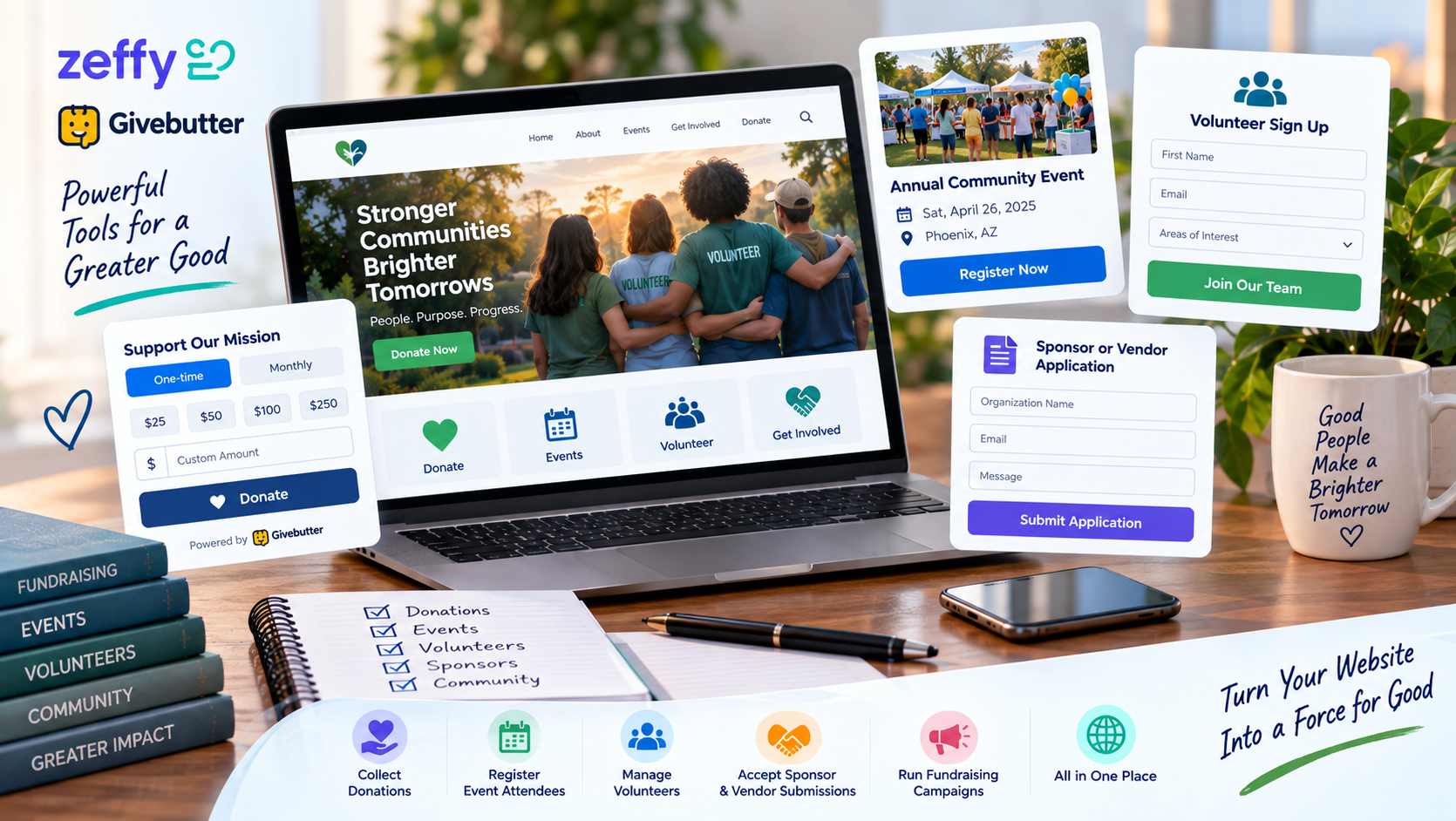
Donors give to people, not organizations. Your site needs at least one dedicated page, or a strong homepage section, that shows real impact through photos, short stories, or outcome-focused copy. The goal is a single emotional connection that ends with a clear donate button, not a paragraph about your founding date.
Event Promotion Pages That Drive Attendance
Every event deserves its own focused page: date, time, location, what to expect, and one registration or RSVP link. Buried event info inside a general news feed is a missed opportunity. A clean event page also gives you something shareable on social media that brings people directly into your funnel.
Volunteer Signup That Works on Mobile
Most people browse on their phones, and volunteer interest is often spontaneous, someone sees your post and wants to sign up right now. If your volunteer form is hard to find or broken on mobile, that moment passes. A simple, mobile-friendly form with three to five fields is all you need to capture that interest before it fades.
DIY Nonprofit Website Builders vs. Affordable Web Design Services
This is where a lot of nonprofits get stuck. Builders look affordable upfront, and professional services feel like a luxury. The reality is more nuanced.
The Hidden Costs of Going DIY
Many website builders offer discounted or free plans for registered nonprofits, Wix, Squarespace, and Google Workspace all have nonprofit programs. That's genuinely useful, and worth knowing. But the monetary savings can be offset by a real cost that doesn't show up on an invoice: staff time.
Learning a builder, designing pages from scratch, troubleshooting a broken form, figuring out why your mobile layout looks wrong, that work runs into dozens of hours per year that most nonprofit staff simply don't have. When your program coordinator is spending Tuesday afternoons wrestling with CSS instead of serving your mission, the "free" website is costing you something real.
There's also a quality ceiling. Most DIY sites built by non-designers look like DIY sites built by non-designers. That matters for donor trust. If you're exploring alternatives to WordPress for nonprofits, it's worth understanding what each platform actually delivers before you commit.
What Professional Non-Profit Web Design Services Actually Cost
Affordable non-profit web design services, not big-agency packages, but lean professional partners, typically run from a few hundred dollars for a basic starter site up to a few thousand for a more complete build with custom features. That range puts professional quality well within reach for most nonprofits when it's budgeted as a mission-critical tool rather than a discretionary expense.
The right partner also thinks about what happens after launch. Ongoing support, staff training, and simple content updates shouldn't require a support ticket and a two-week wait. A hands-on designer who understands nonprofit goals will factor that into what they offer, and it's often included at a price point big agencies can't touch.
How to Get a Big-Business Look on a Small Nonprofit Budget
A polished, trustworthy site doesn't require a massive design budget. It requires good decisions. Here's what moves the needle most:
Lead with strong visuals. Free photo libraries like Unsplash give you professional-quality images at no cost. Real photos of your team or community work even better, authenticity builds donor trust faster than stock images.
Use your brand colors consistently. Pick two or three colors and use them everywhere. Consistency signals professionalism even on a simple site. If you don't have defined brand colors, a good designer can help you nail that down as part of the build.
One call-to-action per page. Every page should have one clear next step, donate, sign up, register, contact. Multiple competing CTAs dilute focus and lower conversion. This is true for big-budget sites too, but nonprofits often clutter pages out of a desire to show everything they do at once.
Prioritize load speed. Slow sites lose visitors before the page even finishes loading. Compress images, use a reliable host, and avoid loading your homepage with auto-play video or unnecessary plugins. A content strategy to support your mission can also help you decide what actually belongs on each page versus what creates noise.
Working with a hands-on designer, rather than a large agency, often gets you more personalization for your dollar. You're working with someone who understands your mission, not a project manager routing tickets between departments.
Questions to Ask Before Hiring a Cheap Nonprofit Web Design Partner
Not all affordable options are equal. Before you sign anything, ask these questions:
Do they understand how nonprofits work? A designer who's built sites for e-commerce brands isn't automatically the right fit for a charity. Ask about their nonprofit experience and what specific features they've built, donor pages, event calendars, volunteer forms.
Will they train your staff? Once the site launches, someone on your team needs to update it. If the designer hands you a finished site with no training, you're back to relying on them, at their rates, for every small change.
Is ongoing support included, and for how long? Post-launch support is where cheap deals often fall apart. Clarify what's included: bug fixes, content updates, plugin maintenance. This should factor directly into your budget planning.
How do they handle mobile and accessibility? A charity website design that doesn't work on phones or fails basic accessibility standards isn't serving your full audience. Ask to see examples on a mobile device before you decide.
Can they help with visibility after launch? A great site that no one finds doesn't move your mission forward. Understanding how getting found in local search fits into their offering, or at least their roadmap for you, matters.
Use a website launch checklist to make sure nothing critical gets missed when the site goes live. A good web design partner will walk through this with you, not hand you a URL and disappear.
Ready to Build Your Affordable Nonprofit Website?
You don't need a big-agency budget to have a website that earns donor trust, fills event registrations, and brings in volunteers. You need the right partner, one who understands nonprofit goals, builds to your specific needs, and stays available after launch day.
Easy-Click Web Design, founded by Jesse Clark, a veteran educator and trainer with over a decade in web design and technology consulting, builds affordable sites specifically for nonprofits and small businesses. The focus is hands-on support and practical outcomes: donor storytelling that converts, event pages that drive attendance, volunteer forms that work on any device.
If you're ready to stop losing potential supporters to a site that doesn't do your mission justice, book a free consultation and let's talk through what your organization actually needs. Or, if you'd like to see what this looks like in practice, see our affordable pricing plans and find a fit that works for your budget.
Your mission deserves a website that works as hard as you do.
Share