
eBook - How to Run Your Business for Under $1000 a Year
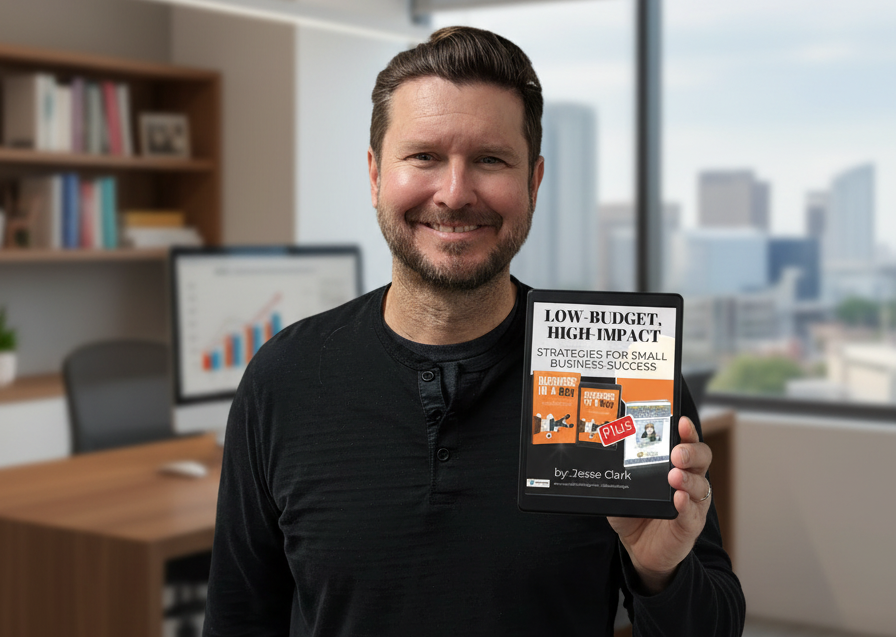
Most small business owners don't have a spending problem, they have a subscription accumulation problem. You sign up for one tool to send invoices, another to schedule social posts, another to manage your inbox, and before long you're staring at a bank statement wondering where $400 a month went. The good news? The eBook - How to run your business for under $1000 a year exists precisely to fix this. Jesse Clark, founder of Easy-Click Web Design, has spent over a decade helping small business owners and non-profits build professional operations without big-agency budgets, and this guide distills that real-world client work into a lean, practical framework you can act on today.
Why Small Business Owners Overspend (And Don't Realize It)
Running a business feels like it demands the right tools. And it does, just not as many as the software industry wants you to believe. The problem isn't that you made bad decisions. It's that each decision felt completely reasonable at the time.
The Subscription Creep Problem
Subscription creep is the slow, painless bleed of $9 here and $29 there, until you're paying for six to ten recurring software subscriptions, including tools you stopped using months ago. Solo operators and micro-businesses are especially vulnerable because there's no finance team auditing the credit card statement.
The common culprits:
- Project management apps you used for two weeks then abandoned
- Scheduling tools with a free tier you accidentally upgraded
- Cloud storage duplicated across Google Drive, Dropbox, and iCloud all at once
- Social media schedulers charging monthly for a task you could batch in an hour
- eCommerce plugins still billing you even though the store is dormant
This is a mindset problem, not a money problem. The fix is a framework, a simple way to evaluate every cost before you commit to it.
The Core Budget Framework: What You Actually Need to Spend
Before you buy, cancel, or sign up for anything, run every potential expense through three categories.
Must-Have vs. Nice-to-Have vs. Skip It Entirely
Must-Have costs are the ones that directly affect whether customers can find you, trust you, or pay you. Think: a domain name, a professional website, a way to send invoices, and a business email address.
Nice-to-Have tools improve efficiency but you can survive, and thrive, without them until revenue justifies the cost. A premium social media scheduler, a paid CRM, or an advanced email marketing plan all fit here.
Skip It Entirely is the biggest category most business owners ignore. Many tools are solutions to problems you don't actually have yet. If a subscription doesn't directly connect to a customer interaction or a legal or financial requirement, cut it.
Run your current bank statement through this filter right now. Highlight every recurring business charge and assign it one of those three labels. Most people find at least two or three "Nice-to-Have" tools they've been treating as "Must-Haves" for months.
Key budget categories to audit:
- Online presence, domain, website, Google Business Profile
- Communication, email, phone, video calls
- Productivity, documents, storage, scheduling
- Marketing, email marketing, social media, SEO
- Admin, invoicing, bookkeeping, contracts
Affordable Business Software Alternatives That Don't Cut Corners
"Free" has a reputation problem. People assume free tools are clunky, limited, or unprofessional. That assumption is outdated, and it's costing small businesses real money.
Free and Low-Cost Tools That Actually Work
Here's a practical stack for lean business operations, all free or nearly so:
- Google Workspace (free tier via Gmail + Drive + Docs + Sheets), professional email through Gmail, shared documents, spreadsheets, and cloud storage. The paid Workspace plan ($6/month) adds a custom domain email, which is worth it, but you can start free.
- Canva (free tier), professional-quality graphics for social media, presentations, and marketing materials. The free tier handles 90% of what most small businesses need.
- Wave Accounting (free), free invoicing, income tracking, and receipt scanning. This is functionality that used to require a $30–$50/month QuickBooks subscription, now completely free for the core features.
- Mailchimp (free up to 500 contacts), email marketing campaigns, automation basics, and list management at no cost until your list grows.
- Google Business Profile (free), one of the highest-ROI moves a local small business can make. It costs nothing to set up and drives map pack visibility and direct calls without any monthly fee.
- Zoom (free tier), 40-minute meetings for up to 100 participants, enough for most client consultations.
- Calendly (free tier), basic appointment scheduling without the back-and-forth emails.
None of these compromise professionalism. They're used by businesses of all sizes.
Building a Professional Online Presence on a Tight Budget
Your website is where free tools have limits, and that's intentional. A DIY website builder might save you money upfront, but a clunky, slow, or visually inconsistent site quietly costs you in lost trust.
A professionally built, affordable website is one of the few places in a lean budget where spending makes sense. Visitors decide whether to trust you within seconds of landing on your page. First impressions online work exactly the same way they do in person. No amount of free design tools rescues a poor user experience.
If you want to explore options beyond the usual platforms, you can build a site without WordPress and still get a polished, fast result at a fraction of agency prices. Before you build anything, run through a small business website checklist, it prevents costly do-overs and keeps your budget on track.
Sample Lean Business Operating Costs Under $1,000 a Year
This is what a realistic, line-by-line annual budget looks like for a lean small business:
| Expense | Tool | Annual Cost |
|---|---|---|
| Domain name | Namecheap or Google Domains | $15 |
| Professional website | Affordable small business plan | $600 |
| Business email | Google Workspace (1 user) | $72 |
| Design tool | Canva (free tier) | $0 |
| Email marketing | Mailchimp (free up to 500 contacts) | $0 |
| Accounting & invoicing | Wave (free) | $0 |
| Video calls | Zoom (free tier) | $0 |
| Scheduling | Calendly (free tier) | $0 |
| Google Business Profile | Google (free) | $0 |
| Total | $687 |
That's well under $1,000, and it covers every functional category a small business needs to operate professionally. The website line item is the only significant cost, and it's the one worth spending on. Everything else is either free or single-digit monthly.
Small Business Money-Saving Tips That Protect Your Professionalism
Frugality has limits. Running lean doesn't mean running cheap on the things customers actually see.
What You Should Never Cheap Out On
Three areas where cutting costs directly cuts revenue:
1. Your custom domain. A
yourbusiness@gmail.com
address signals that you're just starting out. A
you@yourbusiness.com
address signals that you're established. The difference is $72/year. It's the most cost-effective professionalism upgrade available.
2. Your website. A professionally designed site, even an affordable one, signals legitimacy faster than any social media profile. Cutting this corner doesn't save money long-term. It costs you clients who land on your site, don't feel confident, and quietly leave.
3. Consistent branding. Canva's free tier handles this well, but you still need to use it consistently. Mismatched colors, inconsistent fonts, and low-quality images erode trust even when everything else is in order.
These three things, domain, website, branding, are where your small business money-saving instincts should stop. Everything else is fair game for the free tier.
How to Keep Costs Low as Your Business Grows
The goal isn't to stay under $1,000 forever. The goal is to upgrade tools only when their limits are genuinely blocking your growth, not because you think you should.
This is the "graduating tools" principle: start free, stay free as long as it works, and upgrade the moment a specific limit becomes a real bottleneck. Mailchimp's free tier caps at 500 contacts, when your list hits that wall and email is driving real revenue, then you upgrade. Not before.
Growth also doesn't have to mean more ad spend. SEO is the most cost-effective long-term growth channel for most small businesses. A well-optimized site keeps generating leads for months or years without an ongoing monthly ad budget. Learning SEO basics for small business websites is one of the best investments of your time as you grow, or you can explore affordable SEO for small businesses if you want professional help without the agency price tag.
Content marketing on a small business budget is another lever worth pulling. Blog posts, guides, and how-to content build authority and bring in organic traffic that compounds over time. Paid ads stop the moment your budget does. Content doesn't.
The lean operating philosophy here isn't about being cheap, it's about being intentional. Every dollar you spend on a tool that doesn't serve a customer interaction is a dollar that could fund actual growth.
Ready to build your own lean budget from scratch? Grab the full eBook for an instant download and get a complete, step-by-step breakdown, including a printable budget worksheet, sent straight to your inbox. Or if you'd rather have a real conversation about auditing your current tech stack, book a free consultation with Jesse and we'll walk through it together.
Share